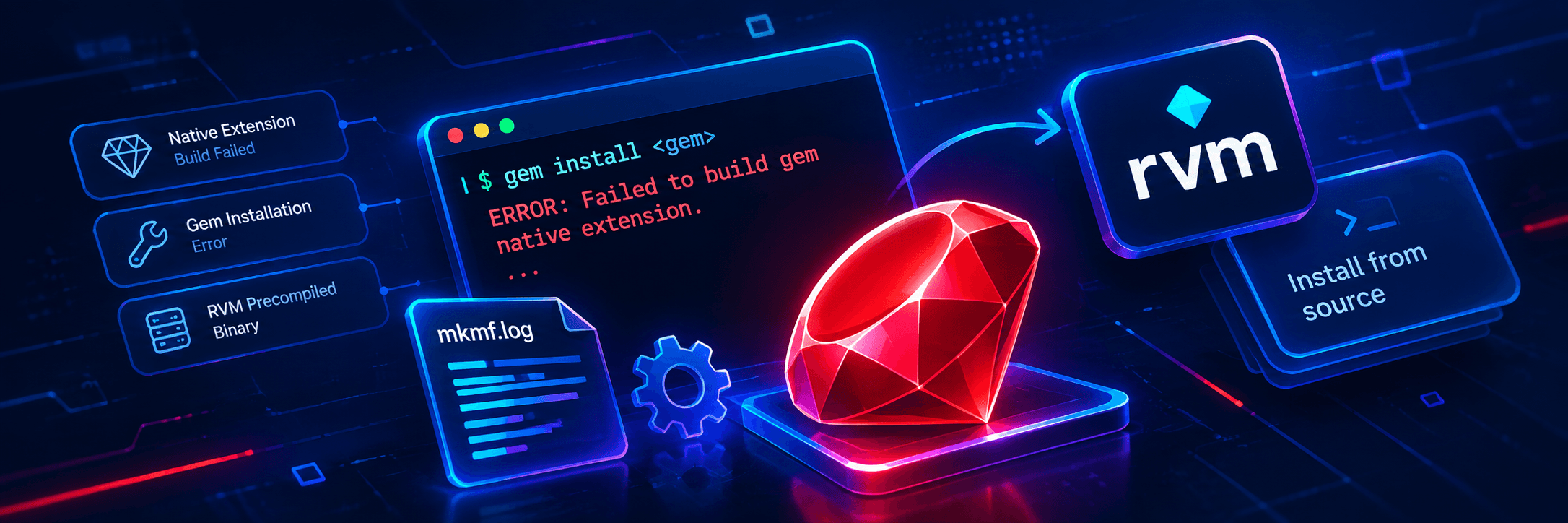

Gist
RVM’s precompiled Ruby binaries can cause native gem extensions to fail when the stored compiler flags don’t match the compiler on the server. This guide explains how to identify the issue through mkmf.log and fix it by reinstalling Ruby from source with a single command.

Failed to Build Gem Native Extension? It's Probably RVM's Precompiled Binary — Here's the One-Line Fix
rvm reinstall 3.3.4 --disable-binary
The rest of this post shows you how to confirm that's actually your problem — so you don't spend ten minutes recompiling Ruby to fix the wrong thing.
If you've ever watched a deployment sail through staging and then detonate in production on a single gem install, you know the specific flavour of dread. Everything worked five minutes ago. Nothing changed. And now Bundler is screaming.
I hit exactly this while installing the bigdecimal gem on a production server running Ruby 3.3.4 via RVM. Here's how I traced it, the non-obvious root cause, and the one line that fixed it.
The symptom
Mid-deploy, Bundler halted with a wall of stack trace and this at its heart:Gem::Ext::BuildError: ERROR: Failed to build gem native extension.
...
The compiler failed to generate an executable file. (RuntimeError)
You have to install development tools first.
Read literally, this looks obvious: the server has no C compiler. No gcc, no build tools. Install them and move on.
And most of the time, that's genuinely the fix. But here's the fork in the road:
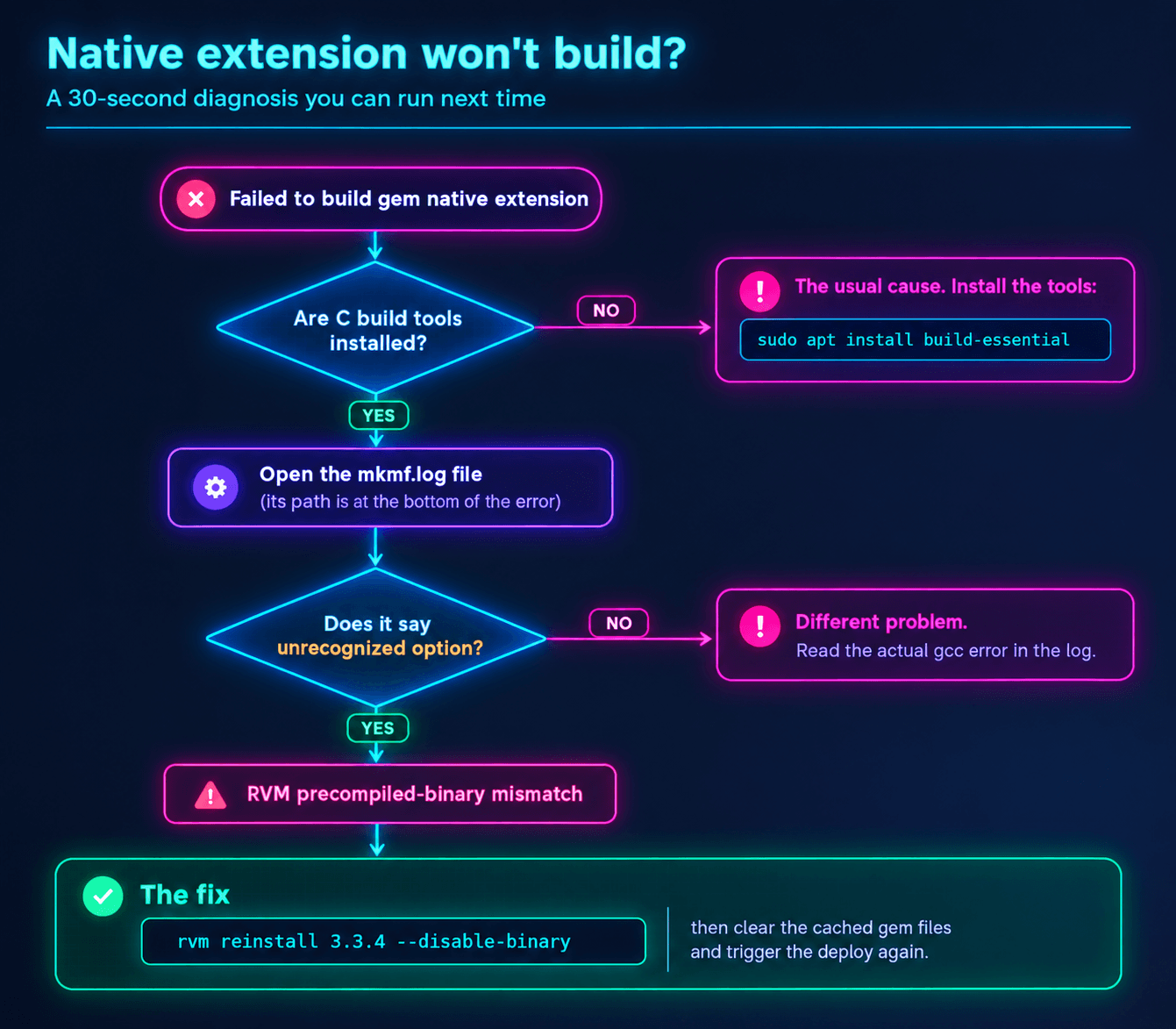
- If build-essential (Debian/Ubuntu) or the Development Tools group (RHEL/CentOS) is not installed → install it. That's your answer, and you can stop reading.
- If those tools are already installed and it still fails → the error message is lying to you. Keep going.
That second case is the one that eats an afternoon, so that's the one we're solving.
The investigation: read mkmf.log
When a native extension fails to compile, Ruby dumps a lot of noise — but it also leaves a breadcrumb. Near the bottom of the error, it points at a log file:
To see why this extension failed to compile, please check the mkmf.log which can be found here:/path/to/shared/bundle/ruby/3.3.0/extensions/x86_64-linux/3.3.0/bigdecimal-4.1.2/mkmf.log
SSH in, cat that file, and the real story shows up:gcc: error: unrecognized command-line option ‘-fdeclspec’
gcc: error: unrecognized command-line option ‘-Wextra-tokens’; did you mean ‘-Wextra-semi’?
gcc: error: unrecognized command-line option ‘-Wshorten-64-to-32’
So it was never about missing tools. Your gcc is right there, working fine. It's crashing because something is handing it compiler flags it has never heard of.
The root cause: the precompiled binary trap
Where did flags like -fdeclspec and -Wshorten-64-to-32 come from? You didn't type them. Bundler didn't invent them.
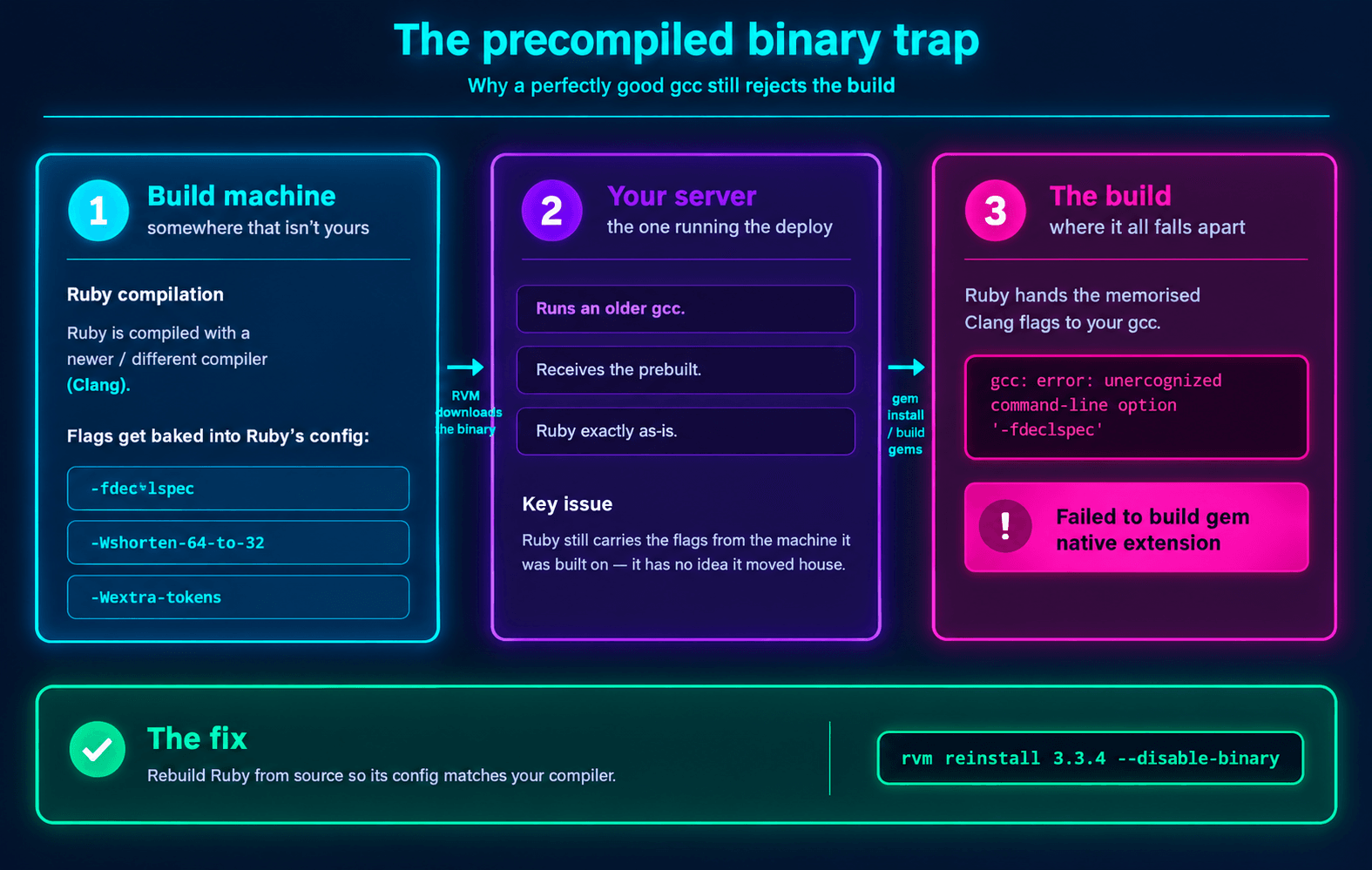
Those are Clang flags (or flags from a much newer GCC). And here's the chain that put them on your server:
When you install Ruby with RVM, it tries to save you time by downloading a precompiled binary of Ruby instead of building it from source on your machine. That binary was compiled somewhere else, on a different machine, with a different — usually newer — compiler.
The catch: when Ruby is built, it memorises the exact compiler flags used to build it. It stores them in its own config. Later, when you install a native gem like bigdecimal, Ruby reuses those memorised flags to compile the extension — feeding them straight to your server's local, older gcc.
Your gcc looks at -fdeclspec, shrugs, and dies.
Think of it as borrowing a chef's recipe that lists an oven setting your oven doesn't have. The recipe is fine. Your oven is fine. They just weren't made for each other.
The fix
The cure is to force RVM to compile Ruby from source, directly on your server. That way Ruby's stored config matches the compiler you actually have.rvm reinstall 3.3.4 --disable-binary
(Heads up: because this builds Ruby from source, it takes a few minutes — not seconds.)
Once the reinstall finishes, clear out the corrupted, half-compiled gem files from your deploy directory so Bundler starts clean:rm -rf /path/to/shared/bundle/ruby/3.3.0/gems/bigdecimal-*
rm -rf /path/to/shared/bundle/ruby/3.3.0/extensions/x86_64-linux/3.3.0/bigdecimal-*
Trigger the deploy again. Your native gems compile without a fight.
The 30-second diagnosis
Next time a native extension blows up, you don't have to guess. Walk this:
Takeaway
If your C extensions won't compile and mkmf.log is complaining about unrecognized command-line options, your Ruby has an identity crisis: it was built for a compiler your server doesn't run. Skip the precompiled binary, build from source, and the flags line up again.
One line. A few minutes of patience. Deploy restored.

